
Latest Version
better app
General
Windows
Free
9pd0cd1vszng
Report a Problem
More About Doc Scan PDF Scanner
An All-in-One Desktop Document Digitizer
Managing physical paperwork can quickly overwhelm any workspace. The Doc Scan PDF Scanner offers a streamlined solution designed specifically for Windows users who need to convert physical documents, receipts, and photos into organized digital files. Developed by better app, this utility focuses on universal compatibility and straightforward operation, bridging the gap between your physical desk and your digital filing cabinet.
Universal Hardware Compatibility
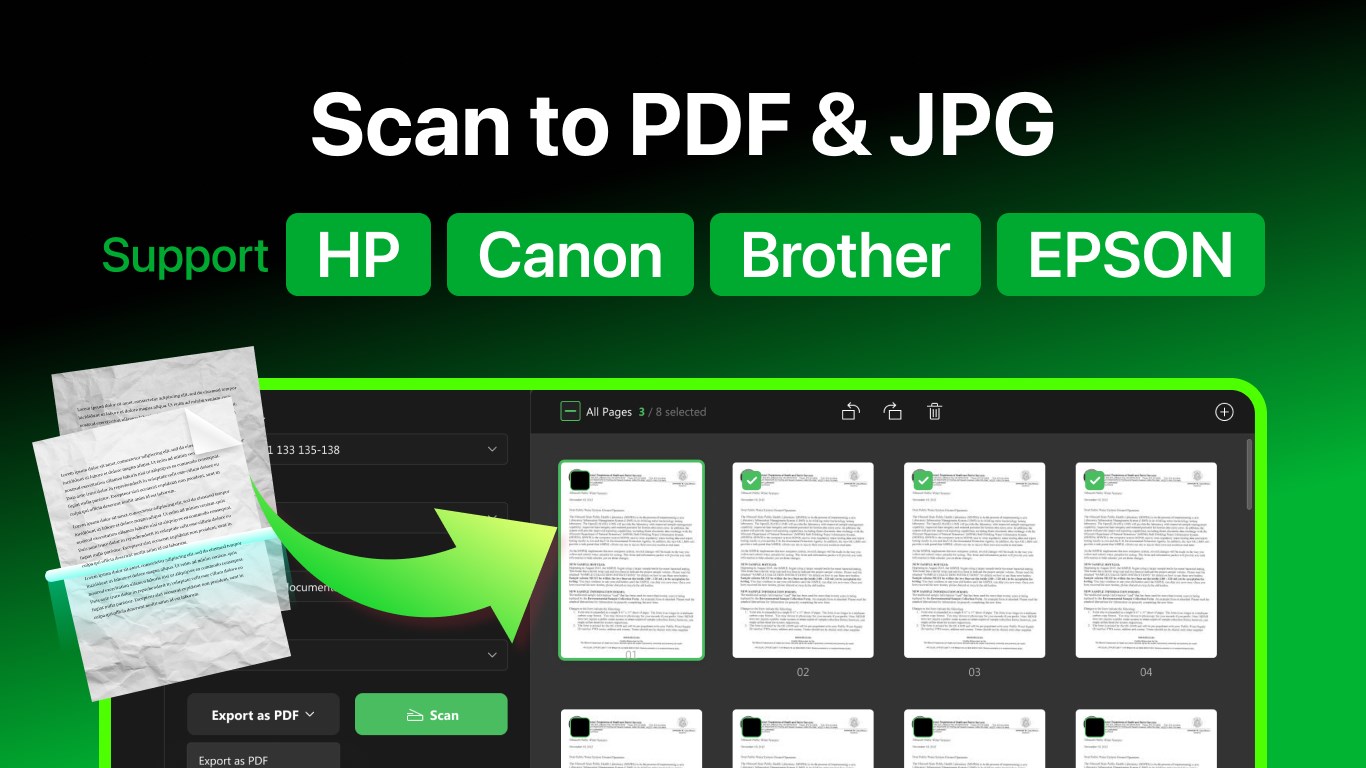
One of the most frustrating aspects of document scanning is dealing with proprietary manufacturer software. The Doc Scan PDF Scanner bypasses this headache by supporting a vast array of major hardware brands right out of the box. Whether your office uses equipment from HP, Canon, Brother, EPSON, Deli, Lenovo, Panasonic, Ricoh, Samsung, or Xerox, this application integrates smoothly with a single click, eliminating the need to install multiple bloated driver suites.
Key Features for Seamless Document Management
- Multi-Format Export: Save your finalized scans instantly as PDF, JPEG, PNG, BMP, or TIFF files depending on your project needs.
- Built-in OCR Technology: Recognize and extract text from your scanned documents to make your archives searchable and editable.
- Integrated Image Editing: Fine-tune your scans directly within the app by cropping, rotating, reordering pages, or adjusting contrast, saturation, color balance, and sharpness.
- Direct Email Sharing: Send your digitized files directly via email without needing to open an external web browser or mail client.
Who Benefits Most from Doc Scan PDF Scanner?
This software is highly beneficial for remote professionals, administrative assistants, and students who handle a high volume of paperwork. If you frequently find yourself needing to sign contracts, archive receipts for tax purposes, or digitize textbook pages, the Doc Scan PDF Scanner provides the precision tools required to generate clean, high-resolution outputs. The ability to quickly adjust contrast and sharpness ensures that even faint pencil marks or faded ink become legible digital text.
Flexible Access Options
Users can explore the basic scanning functions for free. For those requiring advanced capabilities, premium upgrades are available via a yearly subscription of $7.99 or a lifetime license for a one-time purchase of $15.99. These premium features unlock unlimited scans, full OCR support, advanced image editing, and higher-resolution outputs.
If you are ready to declutter your desk and optimize your document workflow, you can learn more and evaluate the application by visiting the official Microsoft Store page for the Doc Scan PDF Scanner.
Rate the App
User Reviews








Popular Apps








Editor's Choice